New Account/First Request Email Notification
I sent email to <department>@furfest.org, and got back a message starting with "[MFF-JIRA] Midwest FurFest: Request Received and Support Login" – What's this about?
Many MFF departments use Jira Service Desks to improve the quality of, and response time to, attendee requests. See "Service Desk Accounts" below for more details.
Midwest FurFest Service Desk: What is it?
The Midwest FurFest Service Desk is a collection of several MFF department service desks which allow attendees and staff to request assistance from Midwest FurFest departments. The single greatest advantage to attendees is the ability to review all open (pending) and closed requests from all departments from the time an account was created. An additional advantage is the ability to search for information, and submit requests of a specific nature; the service desk will prompt for the information needed to provide assistance, thereby reducing back-and-forth obtaining any missing data.
Service Desk Account
Do I need one?
In short, no, but you really should! Any conversation you have with MFF can be conducted entirely through email, but there are numerous advantages to using the service desk web portal.
How do I get one?
If you emailed a MFF department (<department>@furfest.org) and received a reply with the subject "[MFF-JIRA] Midwest FurFest: Request Received and Support Login," an account activation link/button is included in the email. Just click on that link; all you'll need to provide is your name and select a password. The link expires in seven days, if the link expires you'll need to email sei@furfest.org with a reset request.
If you have yet to email a service desk, you may create a service desk account from the login page of the service desk web portal. Simply click "Sign up for an account" and follow the instructions. If you previously emailed the service desk, and didn't see the account creation link, an account can not be created through this method. Please request a reset from SEI as described above.
Note: MFF staff should use their MFF crowd credentials; do not create an account using a personal email address – contact HR for additional information.
What is it useful for?
Your service desk account will be useful for all MFF departments using service desks. In the future, all MFF services, in addition to the service desk, will use the same account credentials.
How do I reset my password?
Click "Forgot your password?" on the login page. (Staff: Use your alternate reset method; contact HR for details)
Services Available
Once logged in, you may submit requests and questions, search for answers to common topics, view any open (or closed) requests, and mange your profile.
Navigation
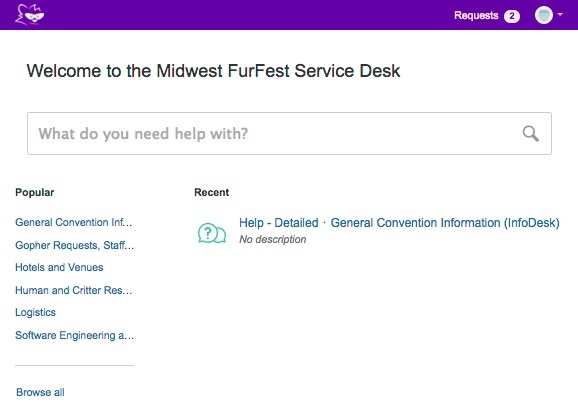
When you log in, the last service desk you interacted with (remember, there are several desks – one per department) is displayed. The image to the right depicts the top level, which allows searching all service desks. You may always return to the top level by clicking on the raccoon in the upper left on the purple page header, or anyplace "MFF Service Desk" appears in the breadcrumbs at the top of the page.
When at the top level, frequently accessed departments (by all users) are listed to the left under "Popular." To list all departments, click "Browse All." Choosing a department will provide a list of request types specific to that department.
Your individual recent request types are listed under "Recent" and allow a shortcut to opening a new request of that type, along with the department that handles the request.
Searching for Answers
At any time, you may search for answers by typing in what you need help with. The service desk will suggest appropriate request types, and if we have a corresponding FAQ entry, may suggest pages to read on that topic.
If you are presently at the top level, all service desks will be searched. If you are on a particular department's service desk, only that department's information is searched.
Submitting a Request
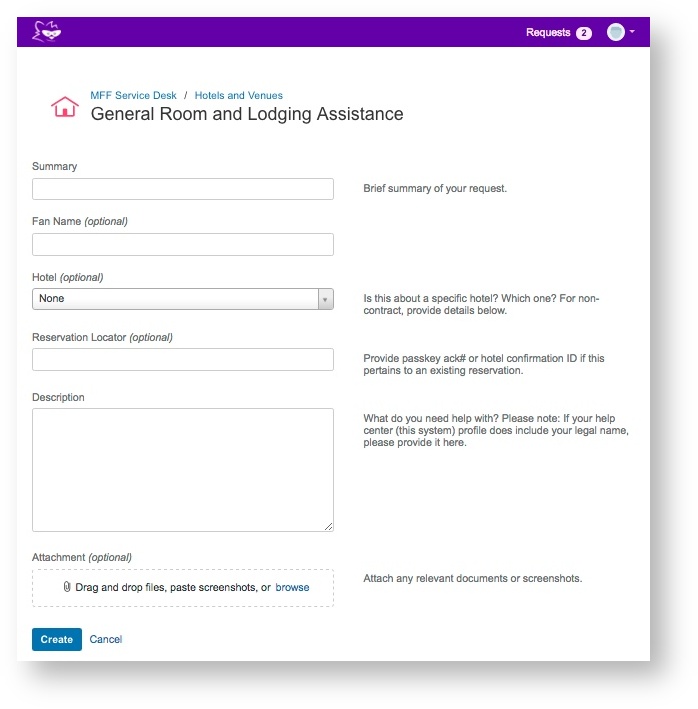
Requests may be submitted by clicking the request title next to the entry's icon. The service desk will prompt you for specific information needed to act on your request.
Complete all relevant fields (some may be marked optional) then click "Create." A confirmation will be sent via email, and the request will also show up in your request summary.
Viewing Open and/or Closed Requests
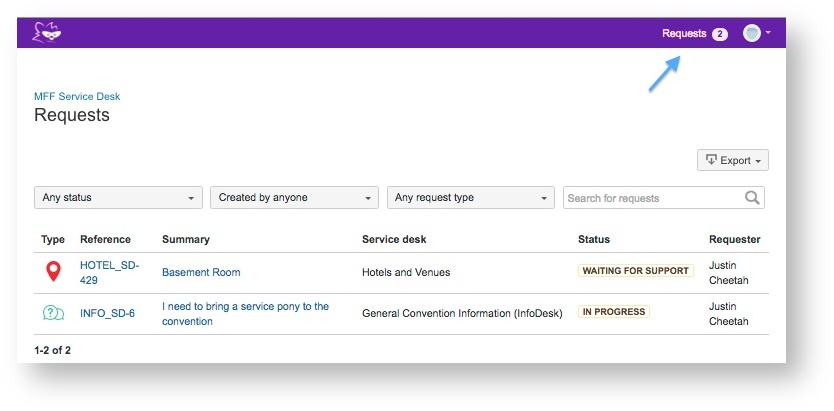
You may view your requests, with several filter and search options, by clicking "Requests" in the upper right hand corner of any window.
Updating a Request
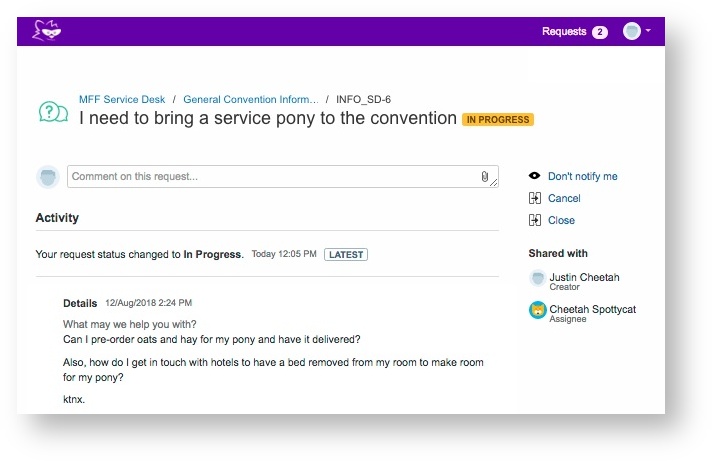
Several options are available to update a request.
Adding a comment or attachment
Simply type in the comment box to add a comment. Click on the paperclip to add an attachment (file, screenshot, etc).
Turning off notifications
Click on "Don't notify me."
Canceling or closing
Depending on the service desk, you may self-close, cancel, or change the status of an issue by clicking on the appropriate option in the right sidebar.
(ps. please do not bring a pony to the convention)